> For the complete documentation index, see [llms.txt](https://doc.traceye.io/llms.txt). Markdown versions of documentation pages are available by appending `.md` to page URLs; this page is available as [Markdown](https://doc.traceye.io/services/dedicated-indexing/subquery-nodes/subquery-manual/manage-subquery.md).
# Manage Subquery
This section will guide you on how to manage a subquery.
* [Create Subquery](#create-subquery)
* [Deploy Subquery](#deploy-subquery)
* [Query Subquery](#query-subquery)
* [Delete Subquery](#delete-subquery)
***
### Create Subquery
{% hint style="warning" %}
The node needs to be in the live state for you to add a subquery to it.
{% endhint %}
**Step 1: Subquery Nodes** - Navigate to the [**Subquery Nodes**](https://app.traceye.io/subgraph/subquery) page on the platform. Here you will see a list of nodes that you purchased and the ones that are already deployed. Now, click on the **Add Subquery** buttons.
**Step 2: Enter Details -** Provide a name, rpc endpoint and choose the node for your subquery. Now, click on the **Add** button to create a new subquery.\
NOTE: If only one node is live then it will be pre-selected.
On successful creation, you will be redirected to the subquery detail page.
***
### Deploy Subquery
**Step 1:** Navigate to the **Details** section on the subquery detail page. Now, click on the **Deployment Command** button.
**Step 2:** Follow the steps provided on the screen to deploy your own subquery.
***
### Query Subquery
{% hint style="warning" %}
The subquery must be deployed and indexed before it can be queried.
{% endhint %}
On the subquery detail page, navigate to the **Query URL** section. Click on **Redirection** icon to open the **GraphiQL** query editor on a new tab, or click on **Copy** icon to copy the query URL.
***
### Delete Subquery
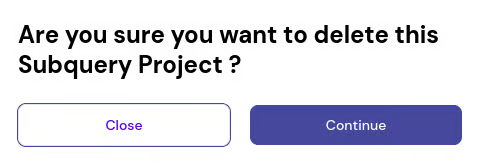
On the subquery detail page, click on the **Delete** button on the top right corner of the screen.
Now, click on the **Continue** button to delete the subquery.